Task Management
Break delivery into tasks and subtasks. Assign owners, plan dates, and connect activities with dependencies.
Explore Task Management →
PROJECT PLANNING & SCHEDULING
Plan tasks, assign responsibilities, set dates, and connect dependencies in one shared project plan.
Start with a blank project or reuse a template. Keep Gantt, Table, Kanban, and Calendar synchronized as your team updates the work.
Start FreeFree forever for teams of up to 3 members.
BRING STRUCTURE TO THE WORK
Who is responsible? What happens next? Which activities are behind schedule? Starbrix Core brings project planning and everyday work together, so project managers and team members work with the same up-to-date information.
Break delivery into tasks and subtasks. Assign owners, plan dates, and connect activities with dependencies.
Explore Task Management →Reuse tasks, scheduling relationships, and predefined settings. Adapt each new project to its own requirements.
Explore Project Templates →THE ESSENTIALS, IN ONE PLACE
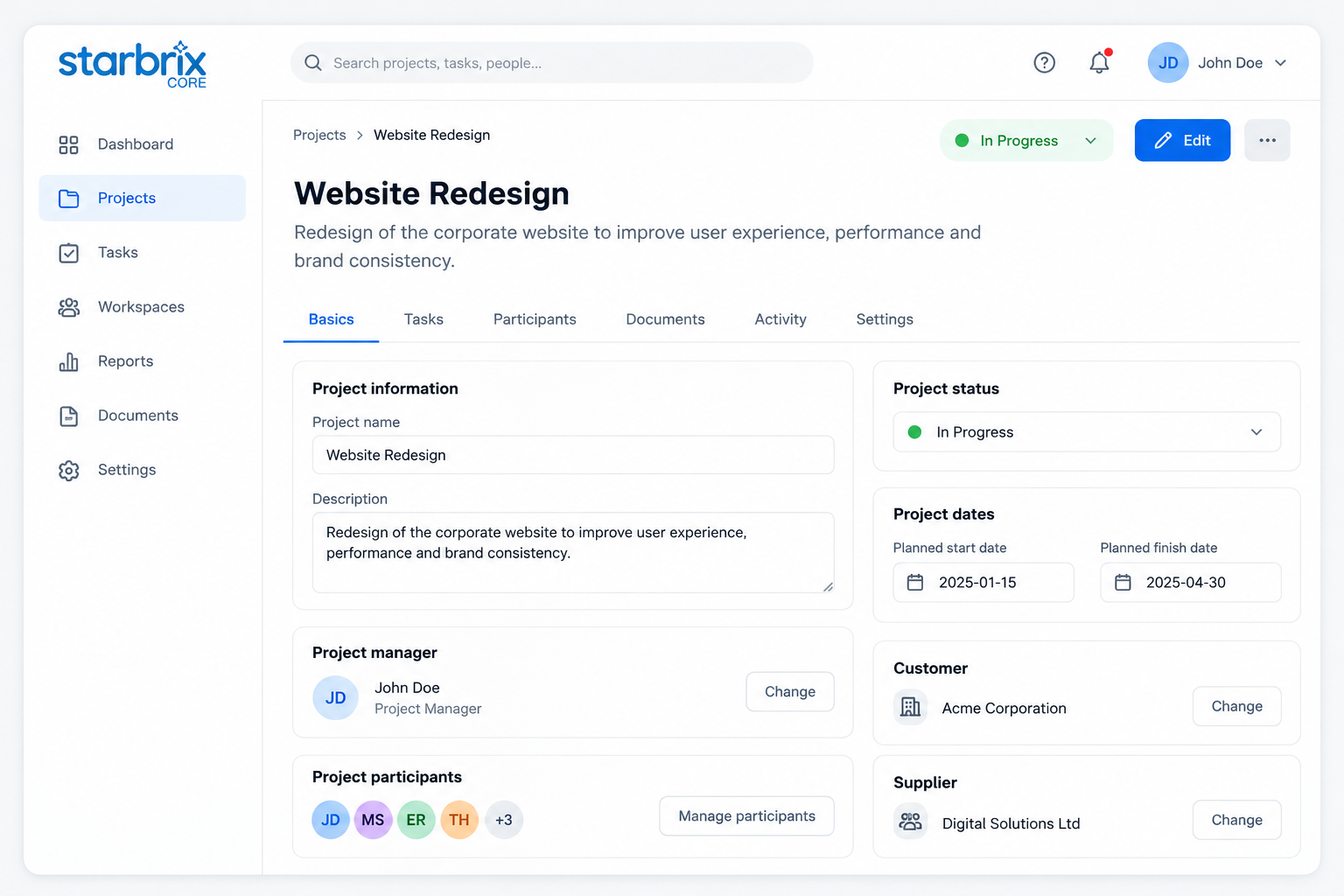
Use the project's Basic Info view to define the work and maintain a shared understanding of its current situation.
Customize project status options by project type, so product development and customer deliveries can follow different workflows.
BUILD A WORKABLE SCHEDULE
Set task dates in Gantt or Table, then link work that depends on other tasks. Adjust dates as plans change and compare progress against a saved baseline.
THE RIGHT STRUCTURE FOR EVERY ACTIVITY
Use detailed tasks for the main project work, simple to-dos for smaller actions, and calendar events for scheduled occasions.
STRUCTURED WORK
Break work into manageable activities with responsible people, participants, planned dates, dependencies, documents, and dedicated messaging.
Organize phases and unlimited levels of subtasks at the level of detail your project requires.
Explore Task Management →EVERYDAY FOLLOW-UPS
Keep smaller actions under control with a responsible person, a deadline, and a completion status.
Contact a supplier, confirm a meeting, or review a document without building a detailed task structure.
SCHEDULED OCCASIONS
Coordinate meetings, workshops, reviews, and presentations. Define their timing and include the relevant participants.
Keep important scheduled activities visible to the people involved.
Explore Calendars →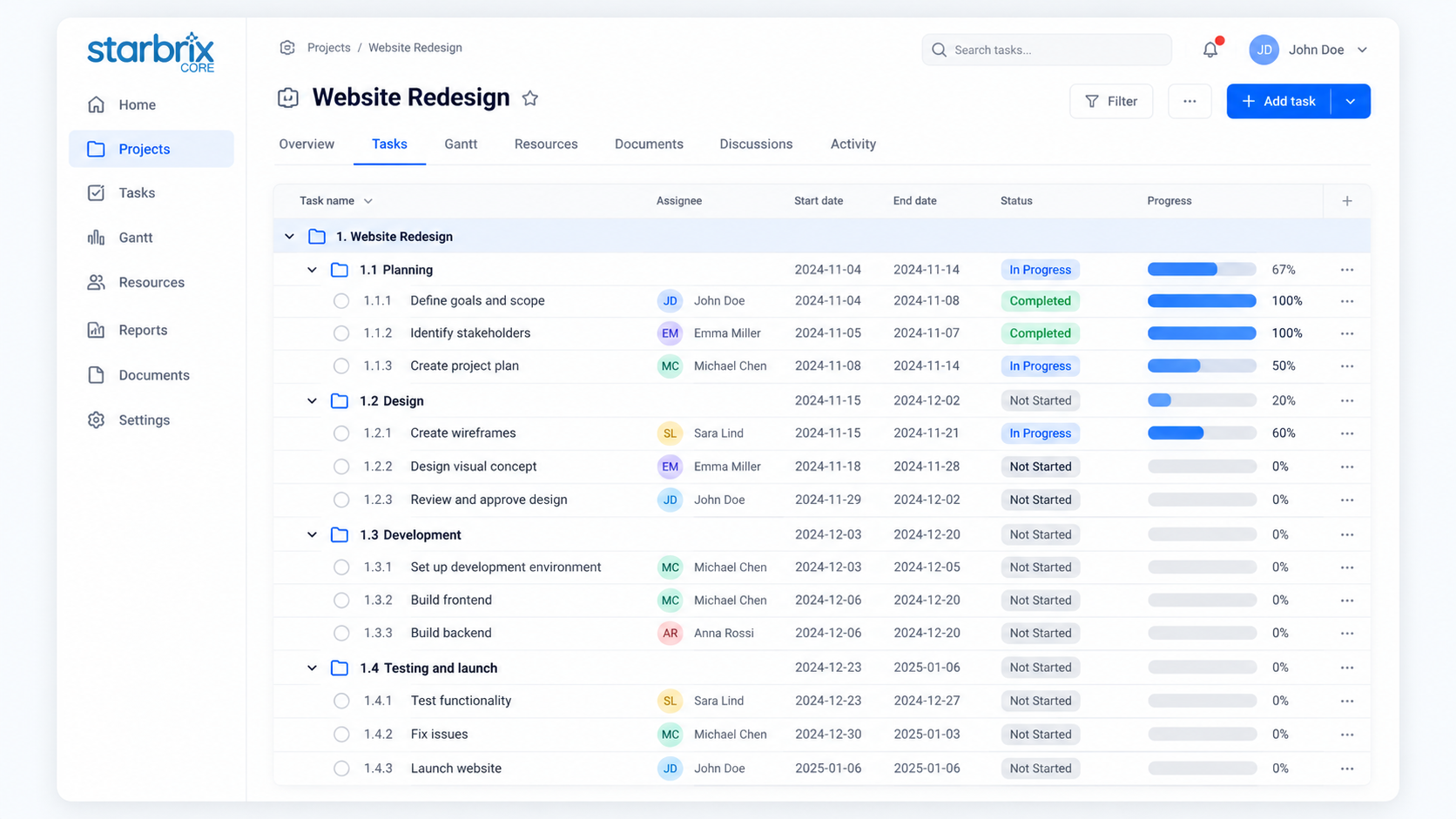
ONE PROJECT PLAN, MULTIPLE CONNECTED VIEWS
A project manager may need a detailed schedule. A team member may prefer a visual board or a calendar. Shared task information stays connected across the relevant views.
Understand timelines, dependencies, and scheduling relationships.
Review assignments, responsibilities, dates, and progress in detail.
See work move through your workflow stages.
See scheduled tasks and events by date.
Starbrix Core is fully optimized for mobile use, including smartphones, so team members can keep working with the same project information on the go.
KEEP PEOPLE CONNECTED
Keep documents, links, and discussions with the projects and tasks they concern. Notifications help people recognize when action is needed.
Configure a notification to email the person responsible for a successor task when preceding work is completed. Reduce manual follow-up as work passes between teams.
Explore Collaboration & Messaging →SEE BEYOND ONE PROJECT
The organization-wide overview brings projects together by default, subject to each user's permissions.
Add optional Workspaces for focused team or department views. Project teams can concentrate on delivery while management follows the portfolio.
Explore Project Portfolios & Workspaces →YOUR QUESTIONS, ANSWERED
Yes. Create an empty project and define its information, tasks, responsibilities, and schedule according to your needs.
Yes. Reuse predefined structures, tasks, dependencies, and other settings, then adapt the new project.
Yes. Customize project statuses by project type to support workflows suited to product development, deliveries, and other projects.
Tasks support detailed scheduling, subtasks, dependencies, documents, and collaboration. To-dos are simpler activities with a responsible person, an optional deadline, and completion status.
Yes. Starbrix Core supports finish-to-start, start-to-start, finish-to-finish, and start-to-finish dependencies, with lead or lag where needed.
Yes. Gantt, Table, Kanban, and Calendar use connected project and task information.
Yes. Update planned task dates as work changes. Save a project baseline to compare the original plan with current dates and actual progress.
Yes. Starbrix Core is free forever for teams of up to three members.
Start simple. Add structure when needed.
Keep your team moving forward together.
Free forever for teams of up to 3 members.