
COLLABORATION & MESSAGING
Keep the team connected to the work.
Give people clear responsibilities, discuss work in project and task chats, and notify the right person when action is needed.
Start FreeFree forever for teams of up to 3 members.
Shared responsibilities
Know who manages each project and task.
Conversations in context
Discuss work where it is managed.
Timely communication
Use notifications for important developments.
PEOPLE, CONVERSATIONS, AND NOTIFICATIONS
Make teamwork easier to coordinate.
User Management & Permissions
Invite people and control access. Give colleagues and external participants the permissions they need.
Built-in Project Messaging
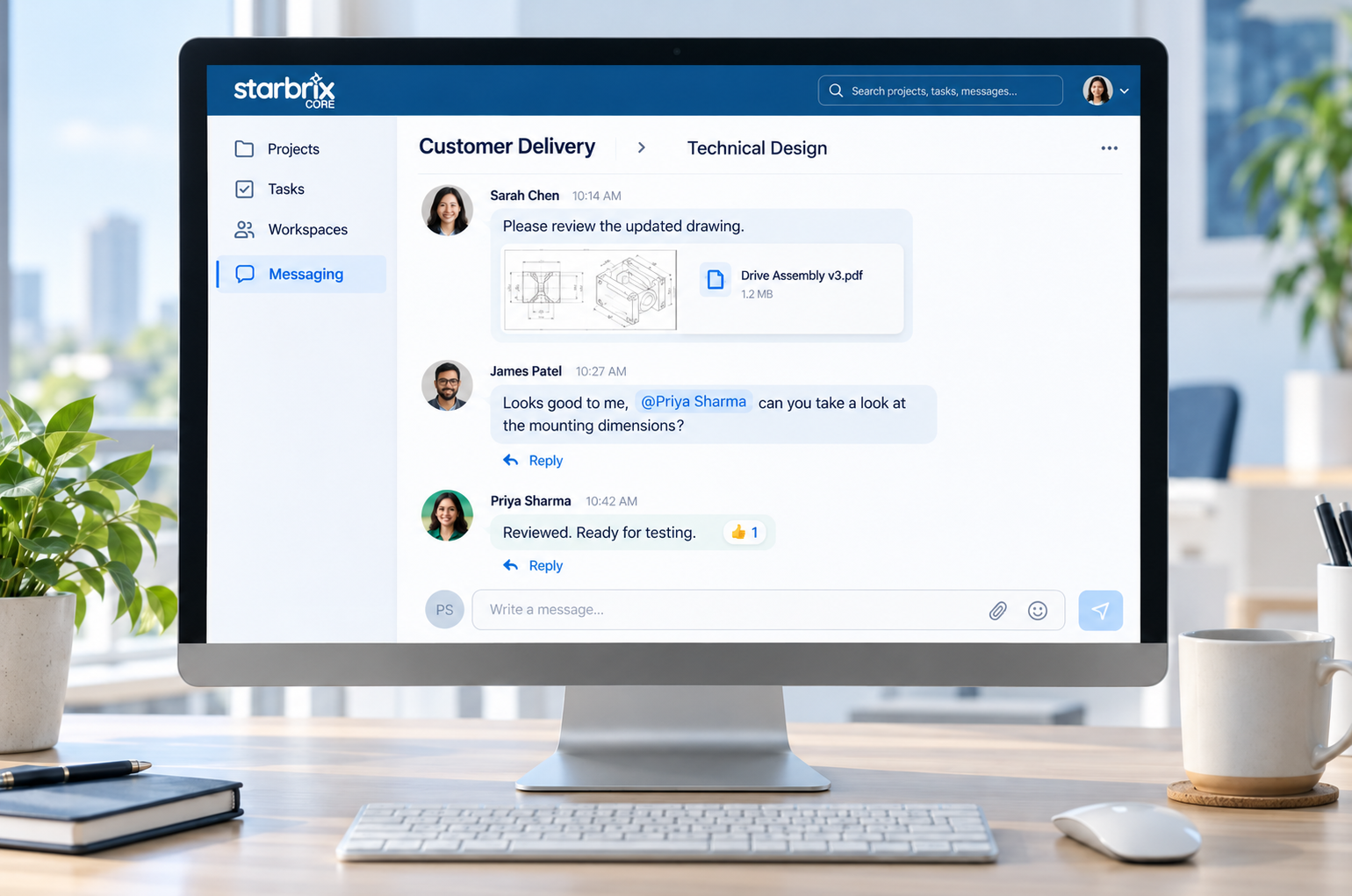
Keep conversations with the work. Discuss projects and tasks, or use team, group, and direct chats.
Notifications & Reminders
Let the right people know when to act. Configure notifications for assignments, scheduled activities, and handovers.
ONE TASK, SHARED CONTEXT
See the work and the conversation together.
Give a task a responsible person, add supporting files, and discuss questions in its own chat. Colleagues can find the background alongside the activity.
EXAMPLE · CUSTOMER DELIVERY
TASK
Review technical drawing
Alex
Emma
Nov 12
Task conversation
I checked them. Please allow another day for the revised drawing.
CHAT AND SYSTEM NOTIFICATIONS
Discuss the work. Know when to act.
Messaging
People ask questions, share information, and reply to colleagues. Example: “Can you review this drawing?”
Notifications
The system draws attention to an event or action. Example: notify the installation task’s responsible person when manufacturing is completed.
Email notifications help people notice new chat messages when they are offline. Project, task, calendar, and to-do notification settings support other communication needs.
THE RIGHT PLACE FOR EACH CONVERSATION
Talk in the context that fits.
Project and task chats
Discuss the overall delivery in the project. Keep a specific technical question with the relevant task.
Workspace and organization chats
Coordinate a team’s work across projects or share information with the organization.
Group and direct chats
Bring selected colleagues together or talk with one person when a project-specific chat is not needed.
Use replies, @mentions, reactions, shared files, and search to keep conversations useful.
Explore Built-in Project Messaging →ACCESS AND EVERYDAY USE
Bring the right people into the work.
Colleagues and external participants
Invite people to the organization and give them appropriate project access. Start with practical default permissions and adjust them as needed.
Work from your smartphone
Core is fully optimized for smartphones. Stay connected to project information and conversations when you are away from your desk.
Workspaces are optional. Use them when a team needs a focused place to coordinate activities across projects.
Explore Workspaces →CONTINUITY IN TEAMWORK
Keep the conversation when responsibilities change.
A colleague taking over the work can find the supporting materials and discussion in the project or task, subject to their access permissions. The conversation provides background for questions and earlier decisions.
Keep the current plan clear by updating task details, dates, and responsibilities when decisions change the work.
ANSWERS TO COMMON QUESTIONS
Frequently asked questions
What collaboration features does Core include?
Core brings together shared projects and tasks, responsibilities, built-in chats, files and links, permissions, and notifications.
Can projects and tasks have their own chats?
Yes. Use project chats for the overall delivery and task chats for activity-specific discussions.
Can we chat outside projects?
Yes. Use Workspace and organization chats, group chats, and one-to-one direct messages.
What happens when someone is offline?
Email notifications help recipients notice chat messages when they are offline.
Can we involve customers and external partners?
Yes. Invite external participants to the organization and give them appropriate access through memberships and permissions.
Can notifications help coordinate dependent tasks?
Yes. Configure a notification to inform the responsible person for a successor task when its predecessor is completed.
Can we collaborate on smartphones?
Yes. Starbrix Core is fully optimized for smartphones, including access to project information and conversations.
Bring your team together around the work.
Keep project information, communication, and responsibilities connected from the first assignment to the final handover.
Start FreeFree forever for teams of up to 3 members.