
PROJECT & TASK CHAT
Keep the conversation with the project or task.
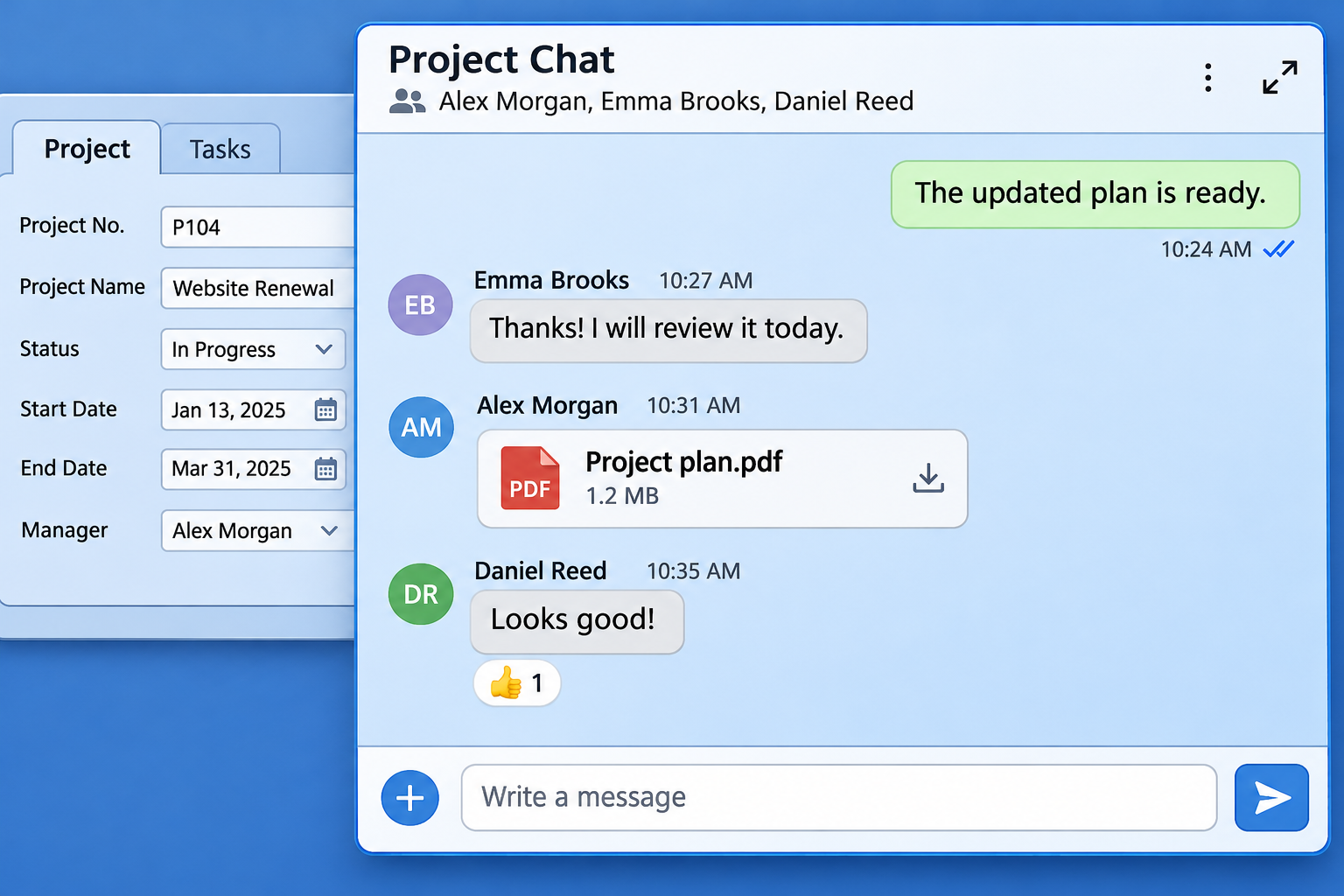
Open the built-in chat in any project or task. Discuss the work, share files, images, and videos, and notify participants by e-mail when a new message arrives.
Start Free60-day free trial. All features included.
A CHAT FOR EVERY PROJECT AND TASK
Open the conversation where you work.
Every project and task has its own chat. Click the chat icon in the lower-right corner to open the conversation alongside the project or task. Keep general questions in the project chat and activity-specific discussions with the relevant task.
THE RIGHT PEOPLE INCLUDED
Start with the project team. Add others when needed.
The project manager and project team are automatically included in the project chat. Add other participants when they need to contribute to the discussion or follow the work.
E-MAIL NOTIFICATIONS
Notice new messages even when the chat is closed.
Chat notifications go directly to the participants by e-mail. You do not need to keep the chat open to learn that someone has posted a message. Follow the link in the e-mail to open the chat and reply.
MESSAGES, FILES, AND REACTIONS
Show what you mean.
Send text messages, images, videos, and other files in the chat. Share supporting material alongside the question, and use emoji reactions to acknowledge a message or respond to an update.
Explore Project Document Management →CHAT AND PROJECT E-MAIL
Use the communication that fits the situation.
Use project and task chats for conversations with chat participants. Flex also lets you send e-mails directly from a project and saves outgoing messages and incoming replies in its message view.
Explore Project E-mail Messaging →ANSWERS TO COMMON QUESTIONS
Frequently asked questions
Does every project and task have its own chat?
Yes. Each project and each task has its own chat. Click the chat icon in the lower-right corner to open it.
Who is included in the project chat automatically?
The project manager and project team are automatically included in the project chat. You can add other participants as needed.
Can I add more chat participants?
Yes. Add other participants to the chat when they need to join the conversation.
Will I know about messages when the chat is closed?
Yes. Chat notifications are sent directly to the participants by e-mail, so they can notice new messages even when the chat is not open.
Can I open the chat from an e-mail notification?
Yes. Follow the link in the e-mail notification to open the chat and reply.
What can I share in the chat?
Send text messages, images, videos, and other files. Use emoji reactions to respond to messages.
How is chat different from project e-mail?
Chat provides a conversation for the project or task and its chat participants. Project e-mail lets you send e-mails from the project and keep sent messages and incoming replies in its message view.
Keep your team in the conversation.
Discuss the work and share supporting material directly in your projects and tasks.
Start Free60-day free trial. All features included.
