
BUILT-IN PROJECT MESSAGING
Send e-mails directly from your project.
Write to customers and colleagues from Flex. Sent e-mails are saved in the project, and recipients’ replies return to the same place.
Start Free60-day free trial. All features included.
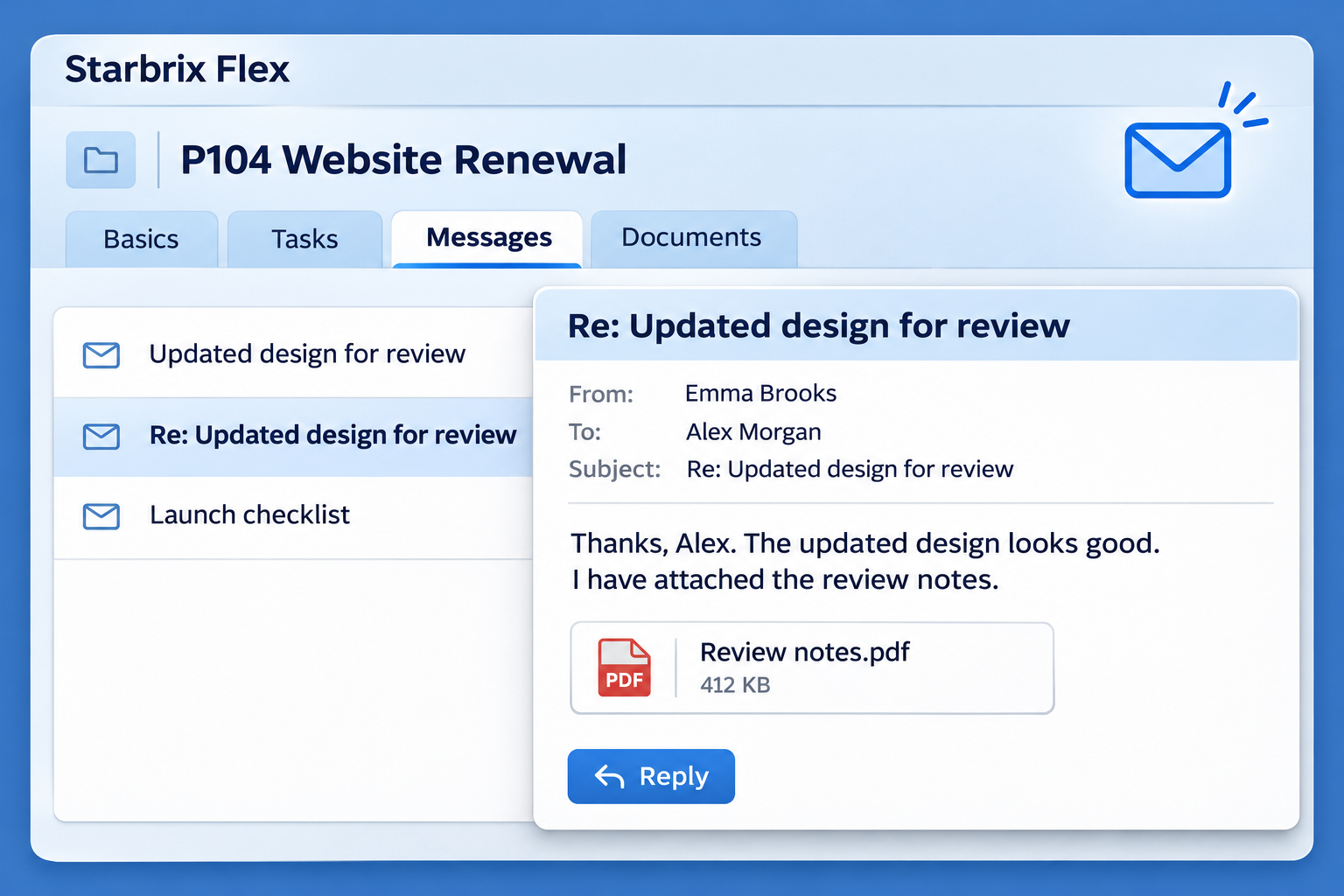
E-MAIL FROM THE PROJECT
Write, send, and receive in one project.
Open the project you want to discuss and create your e-mail there. Ask a customer for feedback, send an update, or clarify a question with a colleague.
Send
Start the message from the project it concerns.
Save automatically
Retain the outgoing e-mail in the project’s message view.
Receive
Find the recipient’s reply in that same project.
SHARED PROJECT COMMUNICATION
Read the e-mail history before you reply.
People with access to the project can review its sent e-mails and incoming replies. Check what has already been discussed without asking a colleague to forward messages from a personal inbox.
A CENTRAL INBOX
Follow messages across your projects.
Open the central inbox from the message icon to read and reply to e-mails across projects. The menu indicator blinks when a new message arrives, and you can enable a notification sound.
MORE WAYS TO STAY CONNECTED
Chat about the work. Stay informed.
Project & Task Chat
Discuss work in the chat for each project or task. Share messages and files with the participants.
Explore Project & Task Chat →Project Notifications & Reminders
Receive e-mail notifications and reminders about assignments, deadlines, and changes in the work.
Explore Notifications & Reminders →ANSWERS TO COMMON QUESTIONS
Frequently asked questions
Can I send e-mails directly from a project?
Yes. Send e-mails to colleagues, customers, and other stakeholders directly from the project.
Where are sent messages saved?
Messages sent from a project are automatically saved in its message view.
Where do recipients’ replies appear?
Replies appear in the same project, keeping outgoing messages and incoming replies connected to the work.
Who can follow the project’s communication?
People who have access to the project can follow the messages in its message view.
Can I read and reply to messages across projects?
Yes. Open the central inbox from the message icon to read and reply to messages from different projects.
How does Flex alert me to a new message?
The message indicator in the menu blinks when a new message arrives. You can also enable a notification sound.
Bring project e-mail into Flex.
Send from the project. Keep outgoing e-mails and incoming replies together.
Start Free60-day free trial. All features included.
