
USER MANAGEMENT & PERMISSIONS
Manage your users. Tailor their access and tools.
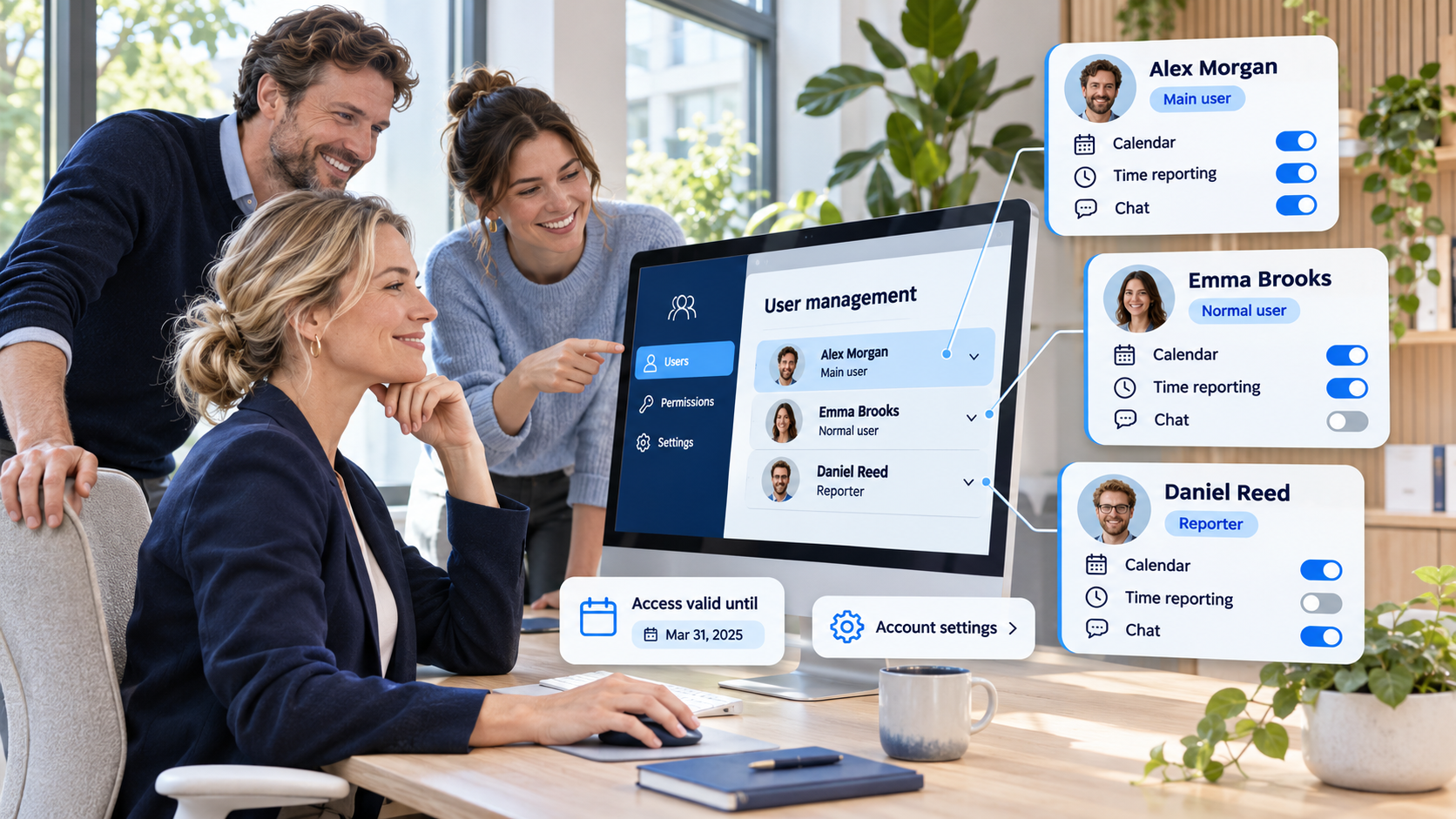
Add or remove users whenever you need to. Choose each person’s permissions and available features, and manage shared account settings through Account General Parameters.
Start Free60-day free trial. All features included.
YOU MANAGE YOUR ACCOUNT
Add and remove users when your needs change.
Your organization manages its own users in Flex. Add a person when they need access, and remove a user when they no longer need it. You can handle these changes yourself as your team develops.
Add users when needed
Choose the new user’s permissions and personal settings as part of their setup.
Keep the user list up to date
Remove users whenever needed and adjust the settings of those who continue to use the account.
CREATE A USER
Set up access in a few clear choices.
Enter the person’s first name, last name, and e-mail address. Choose a profile—Main user, Normal user, Reporter, Reader, or No access—then select the permissions and features that suit their work.
Limit access to their own work
Use Access only to own menus to restrict the person to their own pages. They see the work they are involved in, rather than other users’ work.
Choose who can change settings
Allow users to adjust their own settings and enabled functions, or select Only main user can change user settings to keep those changes under main-user control.
PERSONAL SETTINGS
Give each user the functions they need.
When you add a user, decide what they are allowed to do and which features they can use. Personal settings can activate or deactivate a single field, menu, button, or report—or an entire function. Activated functions are visible and available to that user.
A focused setup
Enable the everyday tools a person needs, such as task views, time reporting, documents, and chat.
Specialist functions where needed
Make resource planning, budgets, sales, or other functions available to the people who use them.
PERMISSIONS
Control access and allowed actions.
Set each user’s permissions to match the access they need. Review and adjust them over time. A person’s role within a project, such as being the project manager, can also affect their rights in that project.
FASTER SETUP AND TEMPORARY ACCESS
Reuse a suitable setup. Let temporary access expire automatically.
Copy another user’s settings
When creating a user, select an existing user with suitable settings and copy that setup. Reuse consistent configurations for people with similar roles, then adapt them where needed.
Permanent or temporary access
Create a user without an access end date, or set the date through which their access remains valid. From the following day, they can no longer log in—so you do not have to remember to remove temporary access manually.
TWO LEVELS OF SETTINGS
Personal setup. Shared account settings.
Keep the two levels clear when configuring Flex.
Personal settings · individual user
Determine the user’s permissions and which fields, menus, buttons, reports, and functions are in use for that person.
Account General Parameters · all users
Define common settings for the account, such as currency, date format, working days, weekends, and holidays.
ANSWERS TO COMMON QUESTIONS
Frequently asked questions
Can we add and remove users ourselves?
Yes. You manage the users in your own Flex account and can add or remove users whenever needed.
Which profiles can I choose when creating a user?
Enter the user’s first name, last name, and e-mail address, then choose Main user, Normal user, Reporter, Reader, or No access. Configure their settings and available features as needed.
Can I restrict a user to their own work?
Yes. Access only to own menus limits the person to their own pages and the work they are involved in, rather than other users’ work.
Can users change their own settings?
You can allow users to adjust their own settings, or enable Only main user can change user settings to restrict those changes to a main user.
Can temporary access end automatically?
Yes. Set the date through which user access is valid. From the following day, the person can no longer log in. For permanent access, leave the access period unlimited.
Can I copy settings from another user?
Yes. When creating a user, select an existing user with a suitable configuration and copy their settings. This makes it easier to reuse setups for similar roles.
What do personal settings control?
They control the functions available to an individual user. Settings can activate or deactivate individual fields, menus, buttons, reports, or entire features, alongside permissions for what the user can do.
What are Account General Parameters?
Account General Parameters are settings shared by the whole Flex account. Examples include the currency, date format, working days, weekends, and holidays. These settings affect all users.
How do personal settings differ from Account General Parameters?
Personal settings apply to an individual user’s permissions and available functions. Account General Parameters define shared settings for everyone in the account.
Does being a project manager affect access rights?
Yes. A person’s role in a project, such as being its project manager, can also affect their rights within that project.
Keep your account aligned with your team.
Manage users, adapt individual access and features, and maintain the shared settings your organization needs.
Start Free60-day free trial. All features included.
