
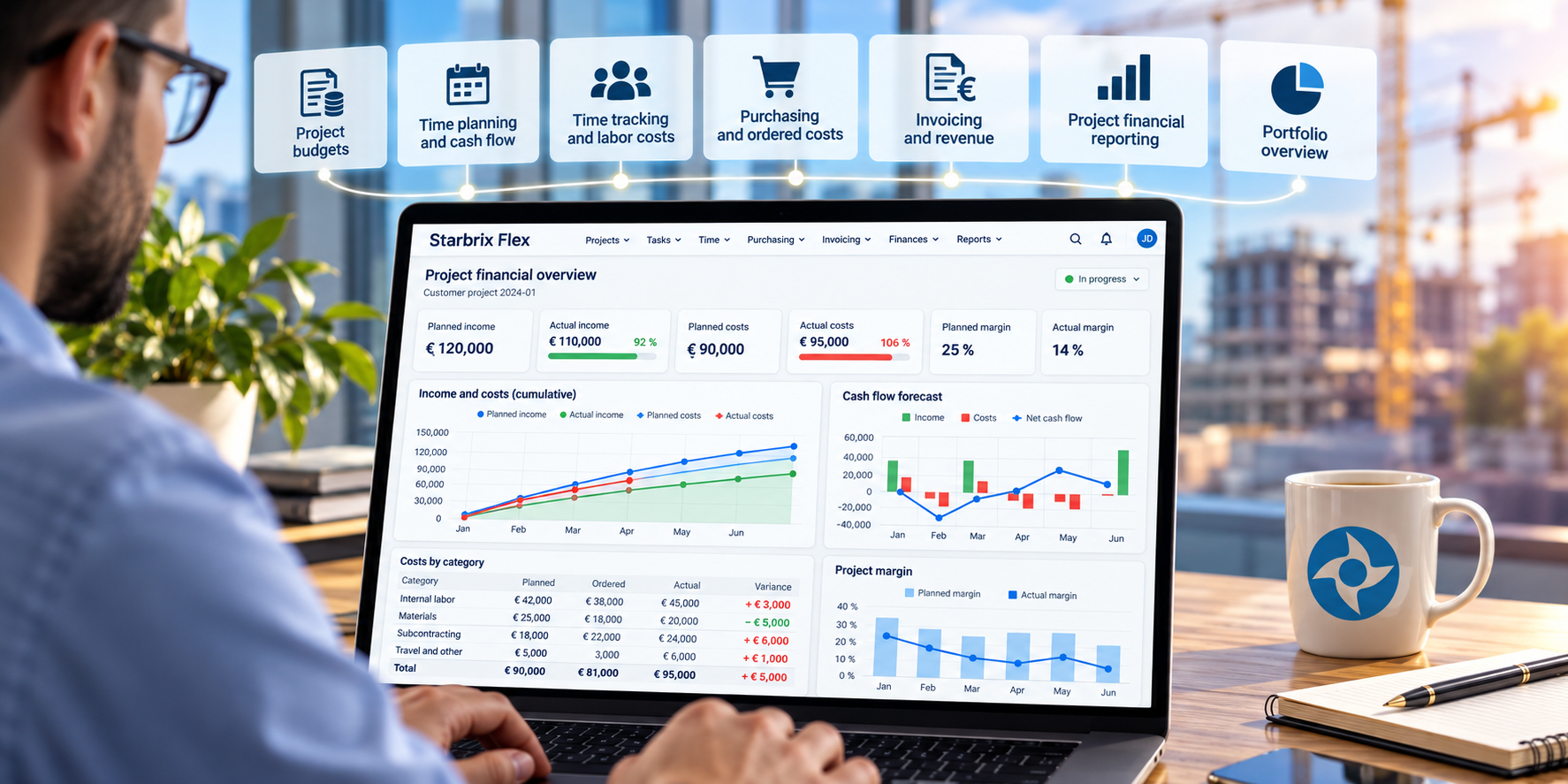
Effective project financial management requires more than tracking expenses against a budget. Organizations need to understand how much they expect to earn, when income and costs will occur, which purchases have already been committed, and how financial performance develops throughout the project lifecycle.
They also need to see the bigger picture: how individual projects contribute to the financial performance and cash flow of operational areas and the entire organization.
Starbrix Flex connects project budgeting, financial planning, time tracking, purchasing, invoicing, cost monitoring, and portfolio financial reporting in one integrated project management system.
Instead of maintaining separate spreadsheets for budgets, financial forecasts, purchasing commitments, and project reporting, organizations can manage these activities alongside their daily project operations.
This article explains how financial management works in Starbrix Flex, from budgeting individual tasks and projects to monitoring financial performance and forecasting cash flow across an entire project portfolio.
1. Financial management starts with the project budget
A project budget should describe the financial expectations for a project, including both planned income and planned costs.
In Starbrix Flex, project managers can prepare detailed financial budgets before work begins and continue monitoring financial performance throughout the project lifecycle.
Planning project income
Starbrix Flex allows organizations to plan the income they expect to receive from a project.
Income can be entered as a total amount or divided into multiple planned payments, each with its own expected payment date.
For example, a customer project worth €120,000 might have the following payment schedule:
By entering expected payment dates, the organization can use the financial plan not only to monitor project profitability but also to forecast incoming cash flow.
This is particularly valuable for projects where payments are tied to milestones, deliveries, or contractual payment schedules.
Planning project costs
Project costs can be divided into as many as 30 different cost categories.
Organizations can define categories that match their own operations, such as:
- Internal labor
- External services and subcontracting
- Materials and equipment
- Travel and accommodation
- Other project-related expenses
Costs can be entered directly as amounts or calculated from quantities and unit prices.
Planned costs can also be assigned to a specific date or distributed over a period defined by a start and finish date.
This allows organizations to plan not only how much a project will cost, but also when those costs are expected to occur.
For example:
The timing of planned costs is important for two reasons.
First, it makes financial budget monitoring more meaningful. Instead of comparing actual costs only with the total project budget, managers can compare them with the costs expected to occur by a particular date.
Second, it provides the basis for cash flow forecasting. By combining planned cost dates and periods with expected income payment dates, Starbrix Flex can calculate and visualize the project's anticipated cash flow.
Understanding planned project margins
By planning income and costs separately, project managers can calculate the expected financial margin.
Planned margin = Planned income − Planned costs
In the example above:
€120,000 − €90,000 = €30,000
The planned margin percentage is:
€30,000 / €120,000 × 100 = 25%
This provides an initial financial target against which project performance can be monitored.
2. Budgeting at both project and task level
Not every organization plans its projects in the same way.
Some prefer to create an overall financial budget for each project. Others need detailed budgets for individual tasks or work packages.
Starbrix Flex supports both approaches.
Project-level budgeting
For many projects, it is sufficient to create a budget at the project level.
The project manager defines planned income, cost categories, amounts, and relevant dates.
This approach is useful when financial responsibility is managed centrally within the project.
Task-level budgeting
For more complex projects, budgets can also be created for individual tasks, including tasks at different levels of the project hierarchy.
Each task can contain its own planned income and costs, using the same financial planning principles as the overall project.
Financial figures from the tasks are summarized at project level.
This makes it possible to identify which parts of a project are performing according to plan and which require attention.
Combining project and task budgets
Starbrix Flex also supports a combination of project-level and task-level financial planning.
A particularly common approach is to plan project income at the project level while budgeting most costs within individual tasks.
For example, a customer project may have an agreed contract value of €120,000, entered as planned income at the project level.
The expected costs, however, can be distributed across the tasks where the work will actually take place.
This approach has several advantages.
Project income can be managed according to the customer contract and payment schedule, while costs are planned where the resources, materials, and activities are actually needed.
The task-level costs are summarized at project level, providing a complete financial picture without requiring all financial planning to be performed in one place.
It also makes it easier to identify which activities are responsible for financial deviations.
Organizations can choose the level of detail that best suits each project, combining overall financial planning with detailed task-based cost control.
3. Establishing financial baselines
A financial budget is not simply a collection of numbers. It also represents an agreed financial target.
Starbrix Flex allows approved project costs to be saved as a cost baseline.
Planned working hours can similarly be saved as an hours baseline.
These baselines provide reference points for comparing planned and actual performance as the project progresses.
For example, if a project's approved cost baseline is €90,000 and the actual cost eventually reaches €98,000, the organization can identify an €8,000 cost overrun.
Baselines are particularly useful when project requirements, schedules, or resource needs change after the original plan has been approved.
They help project managers distinguish between the original financial commitment and subsequent project performance.
4. From planned costs to ordered and actual costs
One of the most important aspects of project financial management is understanding the difference between what has been planned, what has already been ordered, and what has actually been spent.
Starbrix Flex supports all three perspectives.
Consider a project with a materials budget of €25,000.
The project manager may have already placed purchase orders totaling €18,000, while only €12,000 has been recorded as actual costs.
The financial situation is therefore:
- Planned materials costs: €25,000
- Ordered materials: €18,000
- Actual materials costs: €12,000
Looking only at actual costs could give the misleading impression that most of the budget remains unused.
However, a significant portion of the expected expenditure has already been committed through purchase orders.
By distinguishing between planned, ordered, and actual costs, Starbrix Flex provides a more complete picture of the project's financial situation.
Ordered and actual amounts represent different stages of expenditure and should not automatically be added together, since costs already ordered may later become actual costs.
5. Connecting materials, services, and purchasing to project finances
In many organizations, project costs originate from daily operational activities.
Materials are planned, services are purchased, and purchase orders are issued long before the corresponding expenses appear in accounting.
Starbrix Flex connects these activities to project financial management.
Materials and services
Materials and services can be maintained in a register with standard costs.
When materials or services are planned for a project, their expected quantities and costs contribute to the financial planning.
As actual quantities become available, the corresponding actual costs can be updated.
This connects operational resource consumption with the project's financial performance.
Purchase orders
Purchase orders can be linked directly to projects.
This makes it possible to monitor purchasing commitments alongside planned and actual costs.
For project managers, the benefit is significant: financial control does not have to wait until supplier invoices reach the accounting department.
The project can be monitored while purchasing activities are taking place.
6. Tracking labor costs and billing rates through time reporting
For many project-based organizations, labor represents one of the largest cost components.
Starbrix Flex includes integrated time tracking, allowing employees to report hours against projects and tasks.
The system also supports time review and approval workflows.
Calculating labor costs
Actual labor costs can be calculated using employee-specific hourly costs and reported working time.
Normally, each employee has a standard hourly labor cost, typically based on their salary and associated employment costs.
Starbrix Flex allows this standard hourly cost to be adjusted for individual projects or tasks, including tasks at different levels of the project hierarchy.
This flexibility is useful when an employee's labor cost needs to be calculated differently for a particular project or type of work, while their standard hourly cost remains unchanged.
For example:
The applicable hourly cost is multiplied by the reported working hours to calculate the actual labor cost.
These costs contribute to the project's financial reporting and budget monitoring.
Organizations can also use actual labor cost information from accounting or payroll-related systems instead of calculating labor costs exclusively from reported hours.
Defining hourly billing rates
Starbrix Flex also supports person-specific hourly billing rates for customer invoicing.
Billing rates can be defined at the project level and within individual tasks at different levels of the task hierarchy.
This means that the same employee can have different billing rates depending on the project or the work being performed.
For example:
Importantly, hourly labor costs and hourly billing rates serve different purposes.
Hourly labor costs are used for financial cost monitoring, while hourly billing rates determine how reported work is charged to the customer.
This separation makes it possible to monitor project profitability while maintaining flexible invoicing arrangements.
Time approvals and invoicing
Starbrix Flex supports configurable time approval workflows, including two-stage and three-stage approval processes.
Approved hours can be used as a basis for customer invoicing, applying the relevant billing rates.
This is especially important for organizations delivering billable services, consulting, engineering, or other work where invoices depend on hours performed.
Time tracking therefore supports operational monitoring, cost control, profitability analysis, and customer invoicing.
7. Recording actual income and costs
Financial reporting becomes most valuable when it reflects what has actually happened.
Starbrix Flex supports several sources of actual financial information.
Actual income
Actual project income can originate from:
- Invoices created through Starbrix Flex
- Accounting system integrations
- Manually recorded financial information
When customer invoices are generated through Starbrix Flex and transferred to the connected accounting system, the corresponding income information can become available directly in the project's financial reporting.
This enables project managers to follow financial progress without waiting for separate financial reports.
Actual costs
Actual project costs can similarly originate from:
- Reported working hours and employee cost rates
- Materials and services used in the project
- Manually entered costs
- Accounting system integrations
Organizations can choose the appropriate sources for different types of costs.
For example, internal labor costs may be calculated from reported hours, while supplier invoices and other external expenses are obtained from the accounting system.
This allows project financial reporting to reflect the organization's existing financial processes.
8. Integration with accounting systems
Starbrix Flex is designed to complement an organization's accounting system rather than replace it.
The accounting system remains responsible for functions such as bookkeeping, accounts receivable, accounts payable, and statutory financial reporting.
Starbrix Flex focuses on the financial management of projects and project portfolios.
Integrations can connect project operations with accounting information.
Starbrix has experience with integrations involving systems such as Visma, Netvisor, Procountor, Fennoa, Lemonsoft, and Fortnox.
Other integrations can be developed according to customer requirements.
Why this matters
Without integration, project managers often rely on spreadsheets or periodic reports from the finance department.
By bringing relevant financial information into Starbrix Flex, organizations can monitor project performance in the same environment where projects are planned and executed.
At the same time, finance teams can continue managing accounting and receivables in their established systems.
9. Project financial reporting: planned versus actual
Starbrix Flex provides financial reporting within individual projects.
Project managers can compare planned and actual income and costs and analyze how financial performance develops over time.
Financial charts can display weekly or monthly developments using curves and bar charts.
Comparing actual costs with the time-phased budget
A particularly important feature is the ability to compare actual costs with the financial plan over time.
Because planned costs can be assigned to dates or periods, Starbrix Flex can present budget curves showing how costs were expected to accumulate throughout the project.
Consider a project with a total planned cost of €100,000.
Halfway through the project, actual costs have reached €75,000.
At first glance, this may seem alarming because 75% of the budget has already been used.
However, the budget curves provide the necessary context.
Scenario A: Costs are developing according to plan
If the original financial plan expected €80,000 of costs to occur during the first half of the project, actual costs of €75,000 are below the planned level.
The project is therefore not necessarily experiencing a cost overrun.
Scenario B: Costs are developing faster than planned
If the financial plan expected only €50,000 of costs by the halfway point, actual costs of €75,000 represent a significant deviation.
The project manager can then investigate the reasons and determine whether corrective action is needed.
This distinction is essential.
A project's financial performance should not be evaluated only by comparing total budget consumption with elapsed project time. It should also be compared with the planned financial development.
Starbrix Flex makes these comparisons easier through its financial budget curves and reporting views.
Visual identification of financial overruns
In addition to financial charts, Starbrix Flex uses color to draw attention to deviations.
Financial overruns are highlighted in red in the project's financial budget monitoring views.
This makes it easier for project managers to identify situations requiring attention without examining every number individually.
For example, when actual costs exceed planned costs, the relevant overrun is visually highlighted.
The combination of financial figures, budget curves, and visual warnings makes project financial monitoring both more informative and easier to interpret.
Connecting financial performance with project progress
Financial information becomes even more valuable when viewed alongside the project's operational progress.
Starbrix Flex combines financial monitoring with project schedules, task progress, resource planning, and time tracking.
This allows project managers to investigate whether financial deviations are connected to schedule changes, unexpected work, resource consumption, purchasing, or other project developments.
10. Forecasting project cash flow
Profitability and cash flow are not the same thing.
A project can be profitable while still creating temporary cash flow challenges.
For example, an organization may need to purchase materials and pay subcontractors several months before receiving the corresponding customer payments.
Starbrix Flex addresses this by allowing both planned income and planned costs to be associated with dates.
Planned income can be divided into dated payments, while planned costs can be assigned to specific dates or periods with start and finish dates.
This provides the foundation for time-based cash flow forecasting.
Example: a project cash flow forecast
Consider a project with €120,000 in planned income and €90,000 in planned costs.
Although the project has a planned positive margin of €30,000, the timing of incoming and outgoing payments creates periods of negative cash flow.
In this example, the cumulative planned cash flow reaches −€25,000 at the end of February.
This illustrates why understanding the timing of income and costs is just as important as knowing the overall financial margin.
Cash flow forecasting at multiple levels
Starbrix Flex can present cash flow forecasts as tables and graphs.
These forecasts can be examined at three levels:
- Individual projects
- Operational areas
- The entire organization
This is particularly useful for organizations managing several projects with different payment schedules and purchasing requirements.
A company may have profitable projects but still face periods when significant expenditure occurs before customer payments arrive.
By combining the planned cash flows of multiple projects, management can identify such periods in advance.
The forecast is based on planned financial transactions and their dates. It should be understood as a project-based cash flow forecast, not a replacement for a complete corporate treasury forecast.
11. Financial management across the project portfolio
Managing the finances of a single project is important, but management teams also need to understand the combined financial performance of all ongoing projects.
Starbrix Flex provides portfolio-level financial overviews.
These can be used to analyze projects within a particular operational area or across the entire organization.
Financial overview by project
Portfolio summaries present financial information project by project.
Depending on the selected reporting period, the overview can include:
- Planned income
- Actual income
- Planned costs
- Actual costs
- Financial variances
- Planned and actual working hours
- Project margins
For example:
Illustrative figures for a selected reporting period.
Financial overruns are easy to identify
In Starbrix Flex, financial overruns are highlighted in red in portfolio financial overviews, just as they are in individual project budget monitoring.
This provides an important practical advantage.
A management team reviewing dozens or even hundreds of projects does not need to compare every financial figure manually.
Projects with financial overruns can be identified quickly, allowing managers to focus their attention where it is most needed.
For example, Project C has actual costs of €115,000 against planned costs of €110,000, representing a €5,000 overrun.
In Starbrix Flex, the red highlighting makes such deviations immediately visible.
The same principle applies when reviewing financial information across operational areas or the entire project portfolio.
Management by exception
Portfolio financial overviews support a management-by-exception approach.
Rather than requiring management to investigate every project in detail, the system helps highlight situations that deserve closer examination.
Managers can then open the relevant project and investigate its financial performance in greater detail.
This combination of portfolio-level visibility, project-level financial reporting, and visual identification of overruns supports efficient financial management across the organization.
Selecting the reporting period
Portfolio financial reporting can be filtered by period.
Management can examine the current month, other selected periods, or broader financial totals.
Reporting can also take completed projects into account according to the selected reporting horizon.
This enables both short-term operational monitoring and longer-term financial analysis.
12. Financial reporting by operational area
Many organizations manage projects across multiple departments, business units, or operational areas.
Starbrix Flex uses operational areas to structure project activities and portfolio reporting.
For example, an organization might have operational areas such as:
- Engineering
- Production
- Installation
- Customer projects
- Internal development
Financial reporting can be examined for the projects associated with a particular operational area.
This gives responsible managers an overview of financial performance within their area.
At the same time, senior management can examine the entire organization's project portfolio.
Financial responsibility at different management levels
A practical management structure might work as follows:
Project managers monitor the financial performance of their individual projects.
Operational managers monitor the projects within their operational areas.
Company management oversees the combined financial performance of the organization's project portfolio.
All three management levels can work with information originating from the same project management system.
This supports decentralized project management while maintaining organization-wide financial visibility.
An operational area is a reporting and organizational dimension; it should not be confused with a separate accounting ledger.
13. Financial management of umbrella projects
Some organizations manage large programs or customer engagements consisting of several related projects.
Starbrix Flex supports umbrella projects that bring together linked projects.
Financial budgets from the linked projects can be aggregated at the umbrella-project level.
For example, a customer delivery program may include separate projects for:
- Engineering
- Manufacturing
- Installation
- Commissioning
Each project can maintain its own financial budget, while the umbrella project provides a combined financial perspective.
This is useful when individual project managers are responsible for their respective projects but a program manager or management team needs an overall view of the financial commitment.
14. Company-wide project financial management
The highest level of financial reporting in Starbrix Flex covers the organization's entire project portfolio.
This is particularly valuable for companies where a significant share of revenue and expenditure originates from project-based activities.
Instead of relying exclusively on separate project reports, management can examine the combined financial picture.
For example, management can monitor:
- Total planned and actual project income
- Total planned and actual project costs
- Financial performance by project
- Financial performance by operational area
- Planned and actual working hours
- Project margins
- Project-based cash flow forecasts
Financial overruns are visually highlighted, making it easier to identify projects that require attention.
The ability to move between individual projects and broader portfolio perspectives helps connect daily project operations with management-level financial decision-making.
From project control to business control
Consider an engineering company with 40 active projects.
Each project manager is responsible for planning schedules, resources, income, and costs.
Operational managers monitor the projects within their areas.
The management team oversees the entire project portfolio.
When these levels use the same project management system, financial information can be analyzed without maintaining separate spreadsheets for every management level.
The result is a more consistent view of project-based business performance.
15. A practical project financial management workflow
An effective financial management process in Starbrix Flex can follow these steps.
Step 1: Prepare the project plan
Create the project, define its tasks, establish the schedule, and assign responsibilities.
Where appropriate, start from a project template.
Step 2: Prepare the financial budget
Plan expected project income and costs at the appropriate level.
A common approach is to plan income at the project level and most costs within individual tasks.
Assign dates or periods to planned financial entries to support time-phased budget monitoring and cash flow forecasting.
Step 3: Approve the financial plan
Review the budget and save the approved cost and working-hours baselines.
These provide reference points for later comparisons.
Step 4: Plan resources, materials, and services
Define expected labor requirements and other resources.
Where relevant, plan materials and services using quantities and standard costs.
Define or adjust employee-specific hourly labor costs and billing rates where required.
Step 5: Monitor purchasing commitments
Create or link project purchase orders.
Monitor ordered costs alongside planned and actual expenditure.
Step 6: Collect actual financial information
Use time reports, operational data, manual entries, and accounting integrations to maintain actual cost and income information.
Step 7: Review project financial performance
Compare planned and actual income, costs, and working hours.
Use financial budget curves to understand whether costs and income are developing according to the time-phased financial plan.
Investigate overruns highlighted in red and other significant deviations.
Step 8: Review portfolio performance
Use operational-area and company-wide portfolio views to identify financial risks and opportunities across projects.
Pay particular attention to projects with financial overruns highlighted in red.
Step 9: Monitor future cash flow
Review expected income and expenditure over the coming weeks and months.
Use project, operational-area, and company-wide cash flow forecasts to understand upcoming financial requirements.
Adjust financial plans when project circumstances change.
This creates a continuous process connecting project planning, execution, financial monitoring, and management reporting.
16. Why integrated project financial management matters
In many organizations, project information is spread across several systems.
Project managers maintain schedules in one application, budgets in spreadsheets, purchasing information in another system, and actual financial figures in accounting software.
This fragmentation creates several challenges.
Financial information may arrive too late. Project managers may not know which purchases have already been committed. Management may struggle to obtain consistent figures across departments. Financial forecasts may require extensive manual consolidation.
Starbrix Flex addresses these challenges by bringing relevant project financial information together with operational project management.
The objective is not to replace the accounting system, but to make financial information useful to the people who plan, manage, and oversee projects.
Benefits for project managers
Project managers can monitor budgets, costs, income, purchasing commitments, and financial progress alongside schedules and resources.
Time-phased budget curves help them distinguish between expected expenditure and genuine financial deviations.
Red highlighting makes cost overruns easier to identify.
Benefits for operational managers
Operational managers can monitor the financial performance of projects within their areas.
Portfolio financial overviews help them identify projects requiring attention without reviewing every project individually.
Benefits for company management
Company management can analyze the combined financial performance of the project portfolio and examine project-based cash flow forecasts.
This provides a broader understanding of how project activities affect the organization's financial performance.
Benefits for finance teams
Finance teams can benefit from more structured financial planning and closer integration between operational project data and accounting information.
Project managers can access relevant financial information without relying exclusively on manually prepared reports from the finance department.
17. Frequently asked questions
Can Starbrix Flex manage both project income and costs?
Yes. Starbrix Flex supports financial planning and monitoring of both income and costs, including planned and actual figures.
Can budgets be created for individual tasks?
Yes. Financial budgets can be prepared at project level, task level, or using a combination of both.
A common approach is to plan income at the project level and most costs within individual tasks.
Can planned costs be assigned to dates or periods?
Yes. Planned costs can be assigned to a specific date or a period defined by start and finish dates.
This supports time-phased financial monitoring and cash flow forecasting.
How many cost categories can be used?
Starbrix Flex supports up to 30 cost categories for project financial planning.
Can Starbrix Flex distinguish between planned, ordered, and actual costs?
Yes. Purchasing and financial information can be used to monitor expected costs, purchase commitments, and actual expenditure.
Can actual labor costs be calculated from time reports?
Yes. Reported working hours can be multiplied by employee-specific hourly labor costs.
Each employee normally has a standard hourly cost, which can be adjusted for individual projects and tasks.
Organizations can also use labor cost information from external financial systems.
Can different hourly billing rates be used for different tasks?
Yes. Person-specific hourly billing rates can be defined at the project level and within individual tasks, including different levels of the task hierarchy.
This allows billing rates to reflect the type of work performed.
Can Starbrix Flex compare actual costs with the planned financial development?
Yes. Financial budget curves make it possible to compare actual costs with the costs expected to occur by a particular date.
This helps distinguish between genuine cost deviations and expenditure that is occurring according to plan.
Are financial overruns highlighted visually?
Yes. Starbrix Flex highlights financial overruns in red in both individual project budget monitoring and portfolio financial overviews.
This makes deviations easier to identify at a glance.
Can project income be linked to invoicing?
Yes. Starbrix Flex supports project invoicing and integrations with accounting systems, allowing invoicing information to contribute to project financial reporting.
Does Starbrix Flex support cash flow forecasting?
Yes. Planned income and costs can include dates or periods, allowing cash flow forecasts to be presented for individual projects, operational areas, and the entire organization.
Can management monitor the finances of all projects together?
Yes. Starbrix Flex provides portfolio-level financial overviews, including project-by-project financial information and organization-wide reporting.
Can several projects be combined into a larger program?
Yes. Umbrella projects can aggregate financial budgets from linked projects.
Does Starbrix Flex replace accounting software?
No. Starbrix Flex focuses on project financial management and can exchange relevant financial information with accounting systems.
Bookkeeping, statutory reporting, and other accounting functions remain in the accounting environment.
Conclusion: From project budgets to organization-wide financial control
Effective project financial management requires visibility into more than the original budget.
Organizations need to understand planned income and costs, purchasing commitments, actual financial performance, project margins, and the timing of future payments.
They also need to distinguish between financial deviations and costs that are developing according to the original time-phased budget.
And they need to examine financial information at different management levels, from individual tasks and projects to operational areas and the entire project portfolio.
Starbrix Flex connects these financial perspectives with project planning, time tracking, purchasing, invoicing, and operational project management.
With detailed budgeting, flexible hourly cost and billing rates, time-phased financial monitoring, visual identification of overruns, and portfolio-level financial reporting, Starbrix Flex helps organizations maintain financial control throughout the project lifecycle.
The result is a more complete and connected approach to managing the financial performance of individual projects — and the entire project-based business.
