From Spreadsheets to Shared Project Management: A Practical Guide for Cross-Department Teams
Move from spreadsheets to shared project management with Starbrix Flex. Learn how to prepare your data, import projects and tasks, and help teams adopt it.
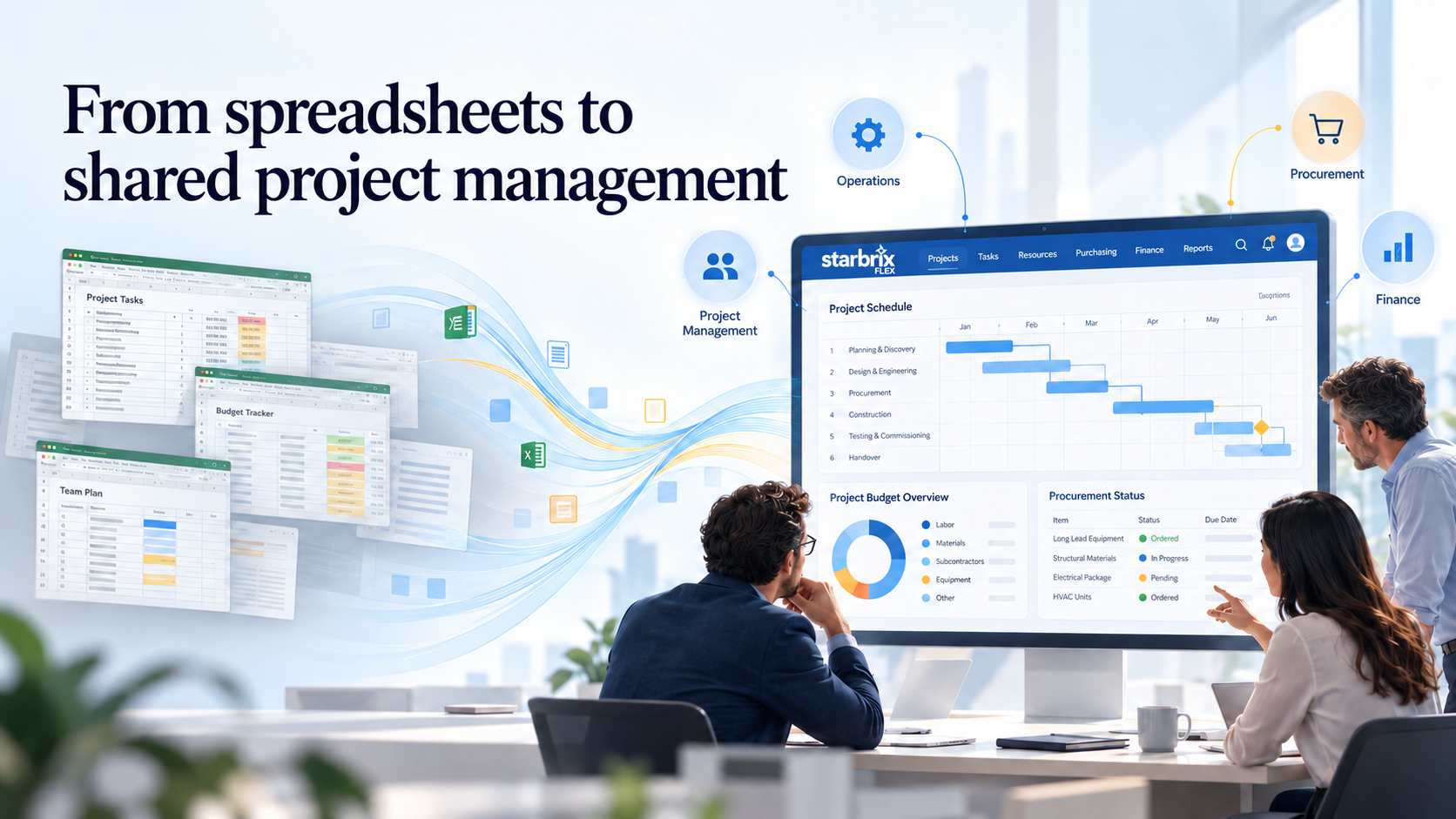
When several departments track the same projects in separate spreadsheets, project information becomes difficult to keep consistent. Operations updates a delivery date, finance works from an older project list, and account managers prepare customer updates from another file.
Moving to a shared project management platform gives teams a common place to maintain that information. But a successful transition involves more than importing rows. People also need clear responsibilities, consistent definitions, and a practical routine for keeping project information current.
This guide explains how to plan that transition with Starbrix Flex, from reviewing existing spreadsheets to importing projects and tasks and establishing a shared way of working. It is a practical implementation guide, not a report of a specific customer migration.
Recognize When Separate Spreadsheets Are Getting in the Way
Spreadsheets are often a sensible starting point. They are familiar, flexible, and quick to set up. The difficulty grows when several teams need to coordinate the same work.
Common signs include:
- The same project appears in several files with different dates or responsibilities.
- Someone has to collect updates by email before preparing a portfolio report.
- Departments use the same status labels with different meanings.
- Purchasing information is difficult to connect to the project it supports.
- Customer updates depend on copying information from internal trackers.
- Project knowledge is hard to find when a colleague is absent or leaves the company.
The goal of the transition is to maintain shared project information once and use it across the organization. Each department should understand what it needs to update and where it can find the information it needs.
Define the Scope Before Choosing the Setup
Start with the work that needs to be coordinated. Which departments participate? Which information do they share? Where do handoffs fail today?
For example, a client project might involve operations planning delivery, a project manager coordinating tasks, procurement arranging purchases, finance reviewing costs, and an account manager communicating with the customer.
Agree on the initial scope before configuring the system. Project structures, responsibilities, planned dates, and progress tracking may be enough for the first stage. Purchasing, project budgets, invoicing, and accounting integrations can be introduced in stages if that makes the transition easier to manage.
Why Use Starbrix Flex?
Starbrix Flex supports project planning together with resource and capacity planning, project finances, purchasing, and invoicing. It is relevant when several departments need to connect project delivery with the financial and operational side of the work.
Operational Areas provide a way to organize projects into relevant groups, such as service lines or business units, for portfolio review.
Starbrix Core is another option when the main requirement is shared project and task management, portfolio visibility, time tracking, and collaboration. This guide focuses on Flex because it also addresses purchasing and project finances.
1. Assign Responsibility and Agree on Working Rules
Nominate an internal coordinator who can gather questions, coordinate decisions, and act as the main contact with Starbrix. Ask each participating department to identify someone who understands its current spreadsheets and working practices.
Before importing data, agree on a few practical rules:
- Who is responsible for each project and task?
- Which information must be maintained?
- When should task owners update progress and planned dates?
- How will managers review project information?
- Who can decide changes to shared templates and terminology?
Keep the required information focused. A small set of useful fields that people maintain consistently is more valuable than a detailed model that is rarely updated.
Also distinguish work status from an assessment of the schedule. “In Progress” means that work has started; it does not necessarily mean that the work is on schedule. A task can be in progress and still need management attention.
2. Review and Clean the Existing Spreadsheets
Make an inventory of the files used to manage active projects. Identify which file contains the most reliable information for each project, and resolve conflicting copies with the people responsible for the work.
Separate the information into three groups:
- Active project information: records that teams need for current work.
- Useful historical information: material that should remain accessible for reference.
- Obsolete or duplicate information: records that can be excluded from the migration.
Standardize names, remove duplicates, check dates, and make sure project and task responsibilities are clear. Decide which completed projects need to move and which can remain in an accessible archive.
Resolve differences in task structure as well. If one department treats an activity as a single task and another breaks it into several subtasks, agree on a structure that supports the people doing and reviewing the work.
3. Map Your Data to the Supported CSV Import Fields
Starbrix Flex supports importing multiple projects and their tasks together from a CSV file. The import includes the following fields:
Create a written mapping between the spreadsheet columns and these import fields. Do not assume that every existing column has a direct import destination. Decide how to handle information that falls outside the supported fields before preparing the final file.
The CSV uses semicolons to separate columns. Where a field contains several values, such as several names, the import instructions specify commas between those values. Follow the current import instructions when preparing the file.
Preserve the Project and Task Hierarchy
The Level field defines the structure. A project has level 0, its main tasks have level 1, and their subtasks have level 2. Further levels can be used where needed, up to level 20.
Review the row order and hierarchy together before importing. The structure should make sense to the people who will maintain the project afterward.
Include Task Dependencies Where They Are Known
The Dependency field refers to another task by its ordinal number. It can also specify the dependency type—finish-to-start, start-to-start, finish-to-finish, or start-to-finish—and a positive or negative lag.
For example, 1fs+3 indicates a finish-to-start dependency on task 1 with a three-day lag.
Import dependencies that reflect real scheduling relationships. Review them with the people responsible for delivery rather than inferring them from the order of rows in a spreadsheet.
Plan Separately for Historical Time Entries
Recorded hours cannot be imported through this CSV import.
If your spreadsheets contain historical time entries, decide how those records will remain available. You can retain them in an archive and agree on a date from which employees begin recording new time in Starbrix Flex.
Documents, attachments, and other information outside the listed import fields also need a separate plan. A project-and-task CSV import should not be treated as a complete transfer of every record held in the old spreadsheets.
4. Test the Import with Representative Projects
Before importing the full portfolio, test the prepared structure with a small set of projects that reflects your actual work.
Include projects with subtasks, several participants, planned dates, and dependencies. Where relevant, include different customers and Operational Areas.
After the test import, check:
- Project and task counts against the prepared source data.
- The hierarchy of projects, tasks, and subtasks.
- Names, descriptions, and responsibilities.
- Customer, partner, and Operational Area assignments.
- Start and finish dates.
- Dependency references, types, and lag values.
Review the results in Starbrix with the participating departments. Correct the source data and mapping before proceeding with the wider import.
Use the pilot to test daily work as well: updating tasks, reviewing schedules, recording time, and preparing a project review. A technically correct import is only useful if the resulting structure works for the team.
5. Configure Access and Introduce the Shared Workflow
Once the project structure is working, configure access according to what each person needs to do. Test the setup with representative users before extending it to the wider organization.
If clients or suppliers will participate, define what they need to access and verify their permissions before inviting them.
Introduce purchasing and project financial information according to the agreed scope. For example, procurement may begin connecting purchases to projects while finance establishes how budgets and actual costs will be reviewed. If an accounting integration is required, define its scope, responsibilities, and timing separately.
For repeatable work, create project templates with a suitable task structure and schedule. Start with a few well-understood project types and improve the templates as teams gain experience.
6. Make Starbrix Part of Everyday Management
Training should focus on the actions people need for their work. Task owners need to know how to update their tasks and record time. Project managers need to maintain plans and review progress. Department leads need to find and review the projects relevant to them.
Use real projects during training and provide a clear contact for questions.
Management routines matter just as much as training. Run project and portfolio reviews using the information in Starbrix, and have responsible people update that information as part of their normal work.
Agree on a cutover date for the old trackers. After validating the imported information, make superseded spreadsheets read-only or archive them so that people know where current project information belongs.
7. Measure Progress and Improve the Setup
Choose a few measures before the transition so you can assess whether the new process is helping.
Set targets that fit your organization. Results will depend on the quality of the source data, the scope of the implementation, and how consistently teams maintain the shared information.
Review early problems with the people doing the work. Missing updates may point to unclear responsibility, unnecessary fields, or a structure that needs simplifying. Improve the working process as well as the system configuration.
Build a Shared Way of Working
Moving away from separate project spreadsheets is an opportunity to clarify how departments coordinate their work. Start with reliable data, a manageable scope, and clear responsibilities. Test representative projects, validate the import, and make the shared information part of everyday management.
Starbrix Flex can then provide a common environment for project delivery, resource planning, purchasing, and project finances, with a setup that supports the way your organization works.
Planning to move your projects out of spreadsheets? Contact Starbrix to discuss your current files, the information you need to transfer, and a practical starting point for your team.